
You asked your AI to add a pop-up sign-up form to your website. Thirty seconds later, it worked. You were impressed.
Then the messages started. A friend on an iPhone couldn't close the pop-up. Someone using a keyboard got stuck inside it. And Google's speed test said your page jumps around while it loads.
Nothing was "broken". The code just did things the way the web did them years ago. That's the quiet problem with AI-written websites, and on 10 November 2026 Google Chrome released a free fix for it: Modern Web Guidance.
The Quick Answer
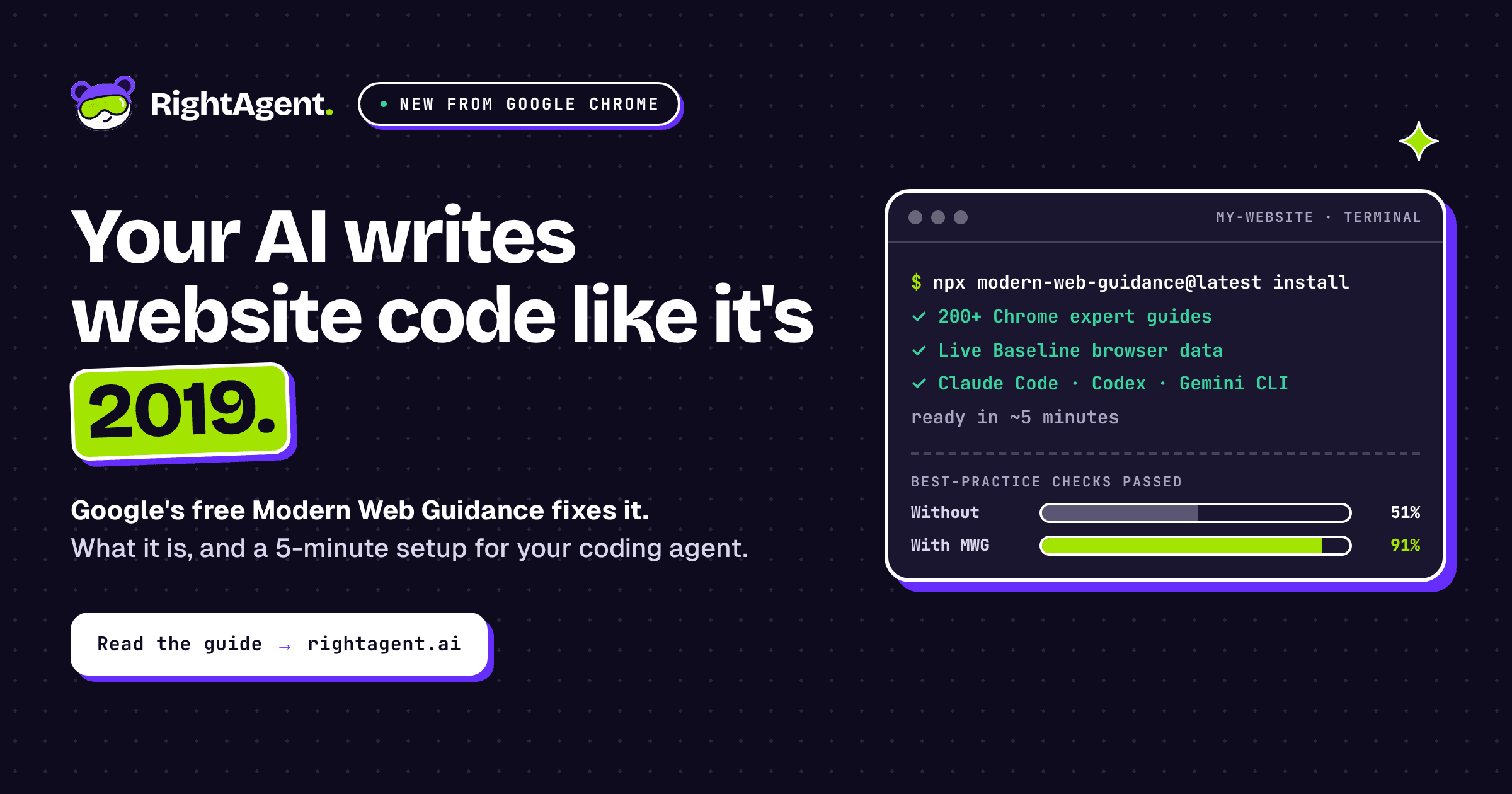
Modern Web Guidance is a free set of skills from Google Chrome that you add to your AI coding agent, such as Claude Code, Codex, Gemini CLI or GitHub Copilot. It teaches the agent current web best practices, so it writes faster, more accessible, cross-browser website code. Setup takes one command: npx modern-web-guidance@latest install.
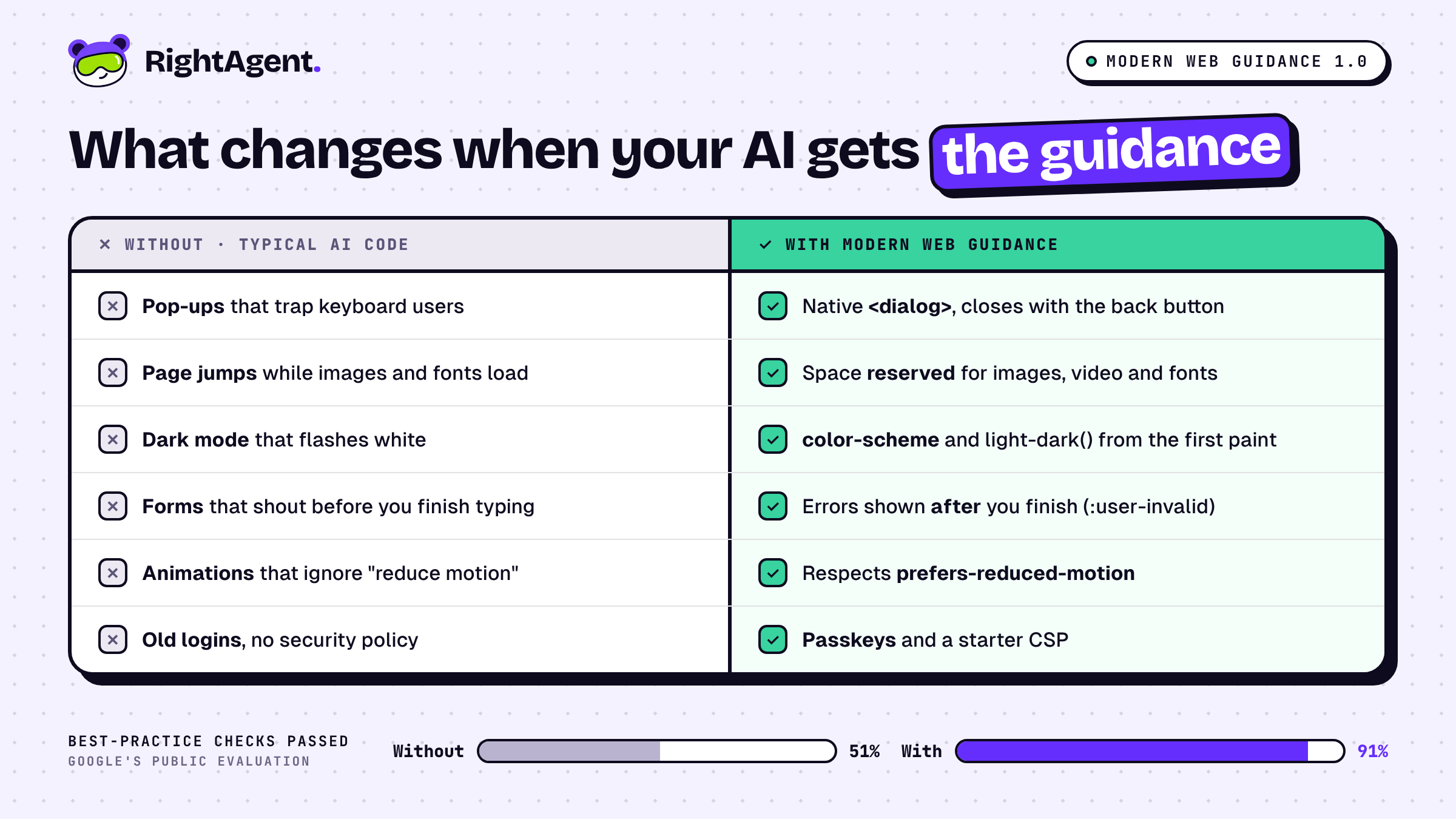
In Google's public tests, coding agents passed about 91% of web best-practice checks with the guidance and about 51% without it (Chrome for Developers).
Why Your AI Writes "Old" Website Code
Think of an AI coding agent as a brilliant cook who learned everything from recipe books published years ago. It cooks fast and the food is edible. But it doesn't know that the kitchen now has a microwave, so it keeps doing things the long way.
AI models learned from millions of web pages written over many years. Most of that code predates features that browsers now build in for free. So the AI often writes 50 lines of custom JavaScript for something the browser can now do in one line of HTML.
Google's Chrome team listed the top 10 things AI gets wrong in web development. In everyday terms, they look like this:
Pop-ups that trap people. The AI hand-builds pop-ups instead of using the browser's built-in dialog, so keyboard users get stuck and the back button doesn't close them.
Pages that jump while loading. Images, videos and fonts load without reserved space, so the text you're reading suddenly moves.
Dark mode that flashes white. The site ignores your phone's dark-mode setting until it has finished loading.
Forms that shout too early. Error messages appear before you've finished typing.
Animations that ignore motion sickness. Phones have a "reduce motion" setting, and AI code often skips it.
Weak security and old logins. There's no basic security policy, homemade code to clean user input, and passwords where passkeys would be safer.
If you've built anything with AI, you've probably shipped at least one of these. Not because you were careless, but because nobody told the AI.
What Modern Web Guidance Is (in Plain English)
Imagine a senior web developer from the Chrome team sitting next to your AI and whispering, "there's a better way to do that", every time it starts writing old-style code. That's Modern Web Guidance.
It has four parts:
200+ expert guides. These are short, checked instructions on CSS, HTML, JavaScript, page speed (Core Web Vitals), accessibility, security and Web AI, written and reviewed by Chrome experts.
Live browser-support data. It knows which features work in which browsers (Google calls this "Baseline"), so the AI adds a fallback when a feature isn't supported everywhere yet.
A modernisation scan. It checks your existing code for safe upgrades, like swapping a homemade pop-up for the browser's built-in one.
Smart lookup. It finds the right guide for the task on your own machine, so the agent only reads what it needs.
It isn't Chrome-only. Firefox and Edge have joined the project, and it works across all modern browsers.
Does It Actually Work?
Google published a public evaluation dashboard and real case studies. These are the results that stand out (Modern Web Guidance 1.0 launch post):
Company | What changed |
|---|---|
Policybazaar (India) | 92% less manual effort auditing page speed across about 30 landing pages |
Pensionbazaar (India) | Turnaround cut from about four days to a few hours, and over 90% fewer UI bugs on new screens |
WeTV | Performance debugging went from four hours to 30 minutes, and the agent fixes 90% of failed speed checks |
note inc. | Pass rate on modern web checks rose from 61% to 94% |
MetaMask | A review bot checked about 480 code changes, and the team fixed 43 issues it found |
The pattern is the same everywhere: the AI was already fast, and the guidance made it right.
Who Should Care (Even If You Don't Code)
Founders building with AI. If you "vibe code" your landing page, this is the cheapest quality upgrade you'll make this year.
Agencies and freelancers. You'll get fewer "it doesn't work on my phone" emails from clients.
Product managers. Ask your team whether it's installed. It's free and takes five minutes.
Developers. You'll spend less time correcting the AI, and see fewer accessibility and Core Web Vitals issues in review.
A faster, more accessible site also helps your Google ranking, because page experience is part of how Google evaluates pages.
Easy Setup: 5 Minutes, Step by Step
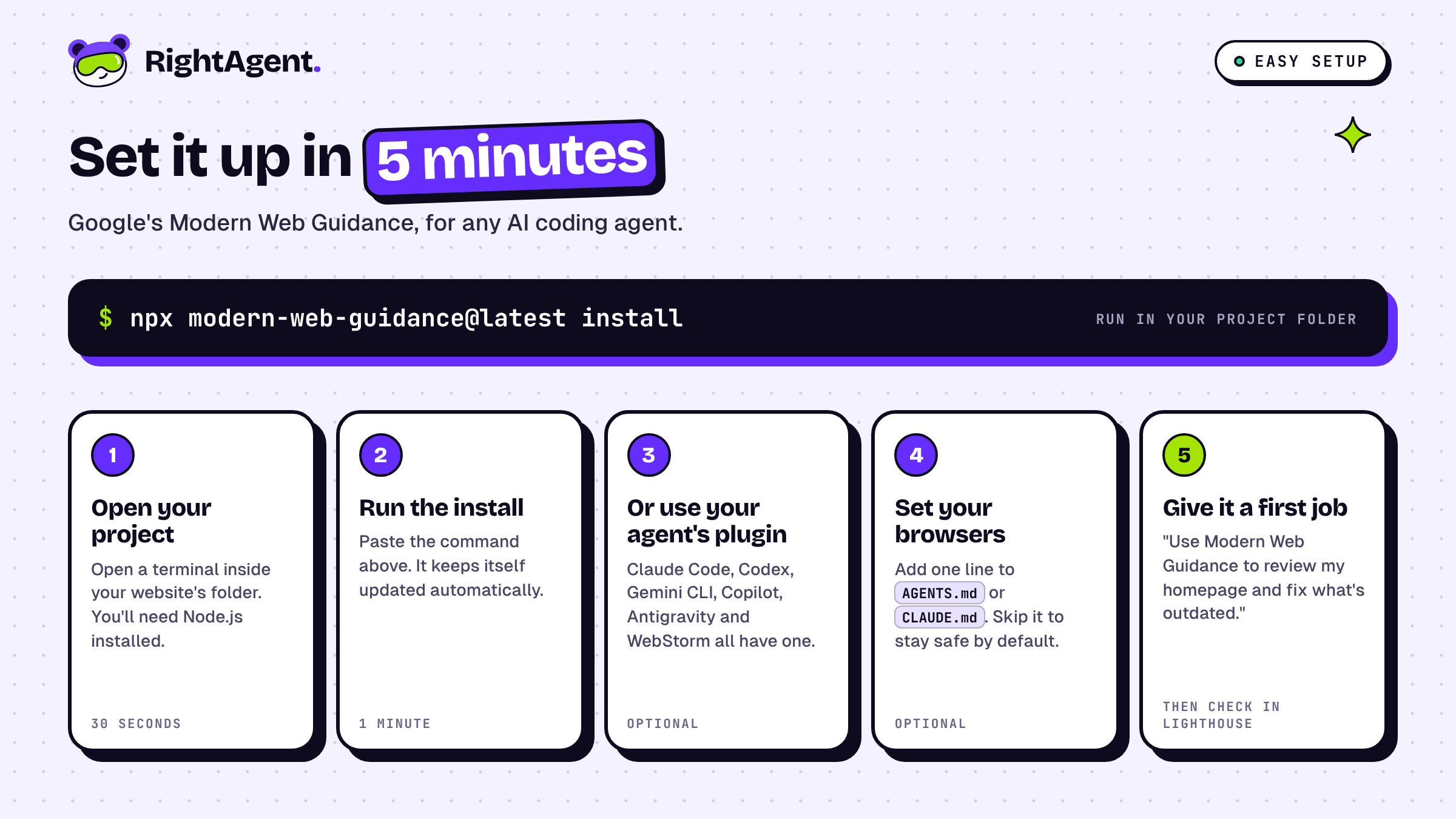
What you need: Node.js installed on your computer, an AI coding agent (Claude Code, Codex, Gemini CLI, Copilot or similar), and your website's project folder.
Step 1. Open your project. Open a terminal inside your website's project folder. In most code editors, that's Terminal → New Terminal.
Step 2. Install it with one command.
npx modern-web-guidance@latest installThis is Google's recommended method, and it keeps the guidance up to date automatically. To update later, run npx modern-web-guidance@latest update.
Step 3. Or use your agent's own command. If you prefer your agent's plugin system, use one of these:
Your agent | Command |
|---|---|
Claude Code |
|
Codex |
|
Gemini CLI |
|
GitHub Copilot CLI | Inside Copilot: |
Antigravity |
|
JetBrains WebStorm | Settings → AI Assistant → Skills → Modern Web Guidance → Install |
Any skills-compatible agent |
|
The full list is on Google's installation page.
Step 4. Tell it which browsers you support (optional). Add this line to your project's AGENTS.md or CLAUDE.md file:
This project's Baseline target is Baseline 2024.If you skip this step, it uses "Baseline Widely available", meaning features that work in all major browsers. That's the safe choice for most websites.
Step 5. Give it a first job. Paste this into your agent:
Use Modern Web Guidance to review my homepage. Fix any pop-ups, forms, images or animations that don't follow current best practices, and explain each change in one line.Then check the result in Chrome's Lighthouse (right-click → Inspect → Lighthouse) and on your phone.
5 Prompts to Try Today
Fix the pop-ups: "Convert all modals on this site to the native dialog element, with proper keyboard focus and back-button closing."
Stop the page jumping: "Find and fix layout shifts (CLS) on this page, starting with images, videos and fonts."
Respect dark mode: "Add proper dark mode support using color-scheme and light-dark(), with a system-default option."
Make it faster: "Diagnose the slowest interactions (INP) and the largest content load (LCP) on this page, and fix them."
Make it safer: "Add a starter Content Security Policy and switch our login to passkeys, with password fallback."
What It Won't Do
It doesn't replace testing. Still try your site on a real phone, with only a keyboard, and in Lighthouse.
The scan is a start, not a full audit. In version 1.0, the modernisation scan checks a limited set of patterns.
It's for the web. It covers websites and web apps, not native iPhone or Android apps.
The Bottom Line
AI made building websites fast. Modern Web Guidance makes it right. It's free, it takes five minutes, and it's backed by Chrome, Firefox and Edge.
If you're still choosing a coding agent to use it with, compare the AI coding assistants on RightAgent, including Claude Code. Or describe your project to the Agent Finder and get a best match with honest alternatives.
Which of the six mistakes has your AI made on your site? Share this with the friend who "vibe coded" their website last weekend.