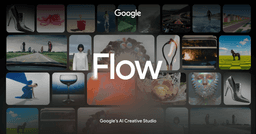
Google Flow
AI filmmaking and storytelling studio for creating cinematic videos
No reviews yetWrite a ReviewAbout this agent
Google Flow is an AI-powered filmmaking and storytelling tool from Google designed to help creators turn ideas into cinematic visual content.
Flow combines generative AI with filmmaking-focused controls to help users create scenes, characters, environments, and sequences from natural-language prompts and reference images.
Rather than simply generating individual video clips, Flow is designed around a more complete creative workflow. Creators can develop visual concepts, maintain consistency across scenes, experiment with camera movements, and assemble generated content into larger stories.
Flow is particularly useful for creators producing short films, cinematic content, advertisements, social media videos, concept videos, and other visual storytelling projects.
What It Does
Flow allows creators to use natural-language instructions and visual references to generate and manipulate video content.
A creator can start with an idea or image, generate a scene, refine the result, experiment with different visual directions, and build multiple shots into a cohesive sequence.
Its filmmaking-oriented workflow makes it possible to move from idea → scene → shots → sequence → finished visual story within an AI-assisted creative environment.
Key Features
Text-to-Video — Generate video scenes from natural-language descriptions.
Image-to-Video — Turn images and visual references into animated video content.
AI Filmmaking — Build cinematic scenes and sequences using generative AI.
Camera Controls — Experiment with camera movement, framing, and cinematic perspectives.
Scene Creation — Generate environments, characters, objects, and visual compositions.
Story Development — Create multiple shots and scenes around a larger creative concept.
Reference Images — Use visual references to guide generated content.
Character & Visual Consistency — Maintain recurring visual elements across generated shots where supported.
Video Editing — Refine and arrange generated clips as part of a filmmaking workflow.
Generative AI Models — Leverages Google's generative AI technology for video and image creation.
Creative Experimentation — Quickly iterate on concepts without traditional production equipment.
Who It's For
Content Creators
Create cinematic videos, Shorts, social content, and visual concepts.
Filmmakers
Experiment with scenes, shots, story concepts, and pre-production ideas.
YouTubers
Produce visual storytelling content and supporting footage.
Marketing Teams
Create advertisements, product visuals, promotional videos, and campaign concepts.
Storytellers
Turn written ideas and concepts into visual sequences.
Creative Agencies
Prototype creative concepts and produce AI-assisted visual content.
Designers
Explore environments, compositions, characters, and visual directions.
Common Use Cases
AI-generated short films
YouTube videos
YouTube Shorts
Social media content
Cinematic storytelling
Advertisements
Product videos
Concept visualization
Film pre-visualization
Creative prototyping
Storyboarding
Character and environment concepts
Marketing campaigns
Why Use Google Flow?
Traditional video production can require cameras, locations, actors, lighting, editing software, and significant production time.
Flow provides an AI-assisted alternative for developing visual ideas. Creators can describe what they want to see, generate visual material, experiment with different shots, and iterate rapidly.
This makes it particularly useful during ideation, prototyping, pre-production, and AI-assisted video creation.
Strengths
Designed specifically around AI filmmaking
Natural-language creative workflow
Supports generative video creation
Useful for cinematic storytelling
Allows rapid creative iteration
Integrates Google's generative AI ecosystem
Useful for both experimentation and content production
Reduces the technical barriers to visual storytelling
Limitations
Generated video quality can vary depending on the prompt and scene
Complex scenes may require multiple iterations
AI-generated characters and objects may not always remain perfectly consistent
Availability and features can depend on Google's supported regions and subscription plans
Generative video can consume significant AI credits or usage limits
Pricing
Free / Limited Access
Google provides limited access to Flow through eligible Google AI plans or promotional access, depending on the user's region and current offering.
Google AI Pro
Provides access to Google's AI creative tools, including Flow, subject to the plan's current usage limits and included AI credits.
Google AI Ultra
Provides higher usage limits and expanded access to Google's advanced AI capabilities and Flow features.
Google's pricing, availability, included credits, and Flow access can change over time.
Why it was built
“Creators who want to turn ideas, images, and written concepts into cinematic AI-generated video and develop visual stories without traditional filmmaking equipment.”


Comments (0)
Sign in to join the conversation
Sign inNo comments yet. Be the first!